
A season-aware planner that builds the whole game in one click.
LineupSmith remembers who's played where all season, builds every inning in one tap, and leaves every call yours to change — with the rule-by-rule reason behind each one.
Start freeFree to start, no card required.
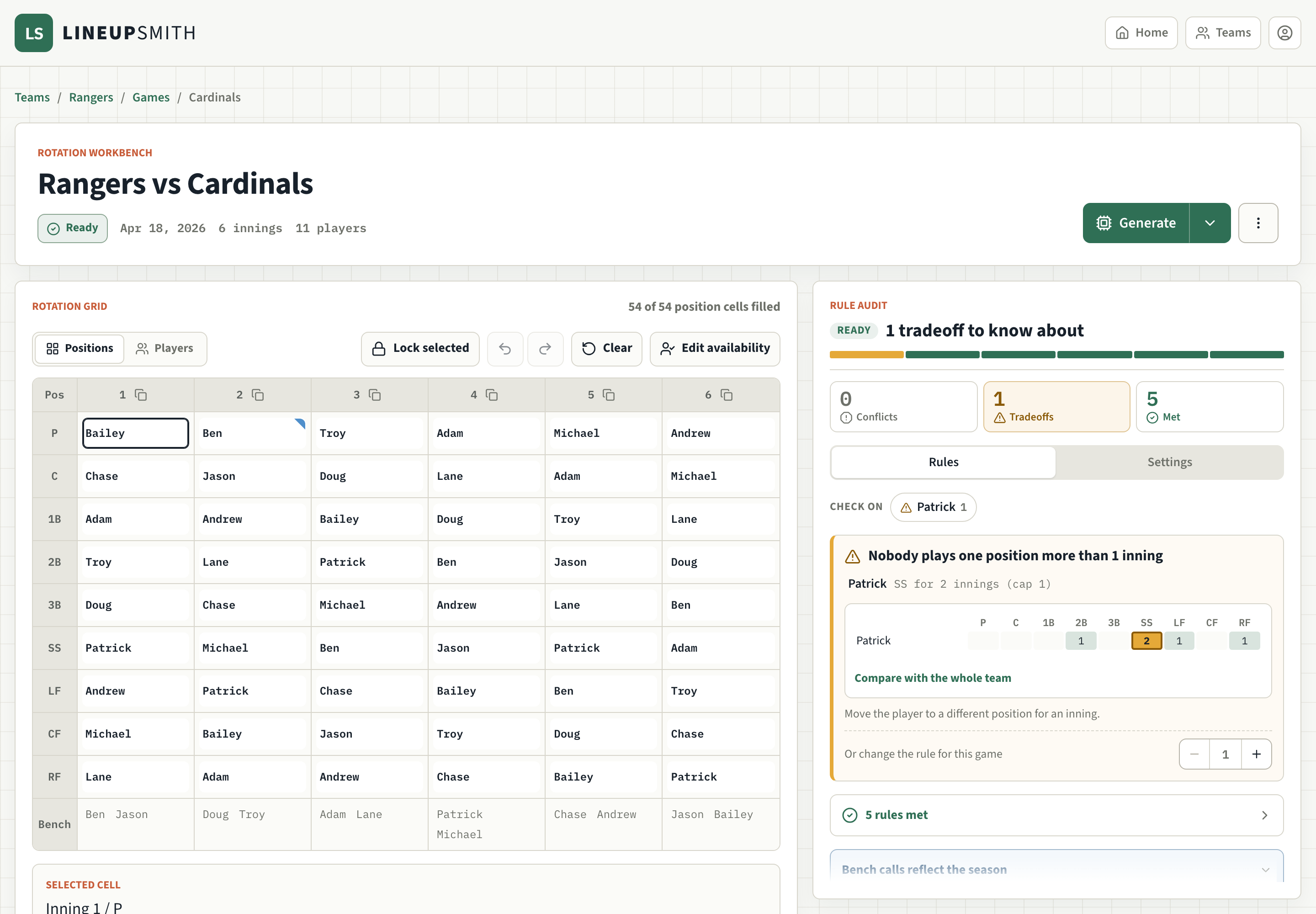
LineupSmith handles the one part of coaching that quietly takes the longest: a fair, legal rotation, with the reasoning behind every call.
The lineup shouldn't be the hardest part of coaching.
You took the job to coach players, not to sort out rotation math at midnight. LineupSmith was built by a coach doing exactly that — so the planning and shuffling take minutes instead of an evening, and you can trust the plan is right before you hand it to anyone.
Three simple steps.
Set your team
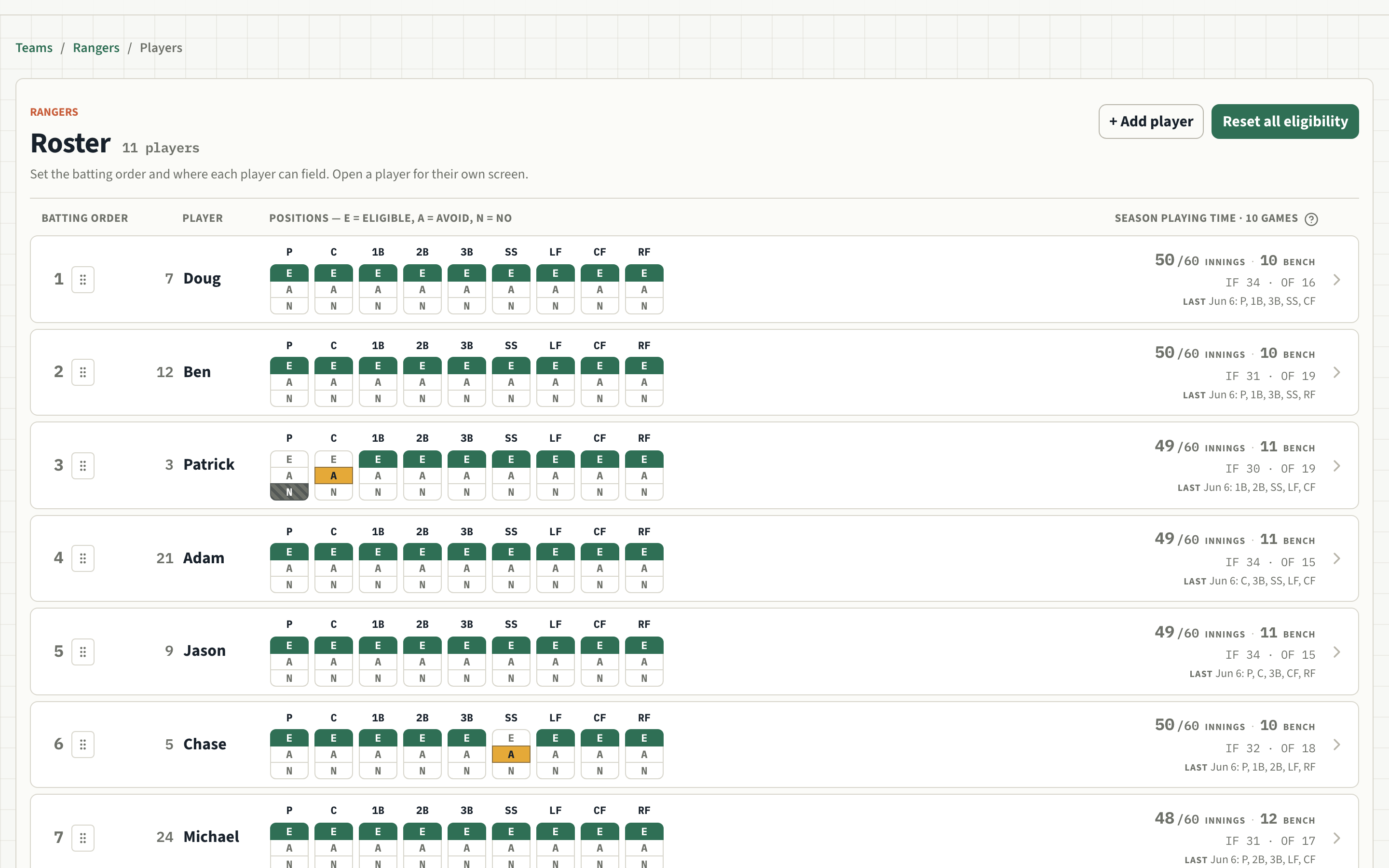
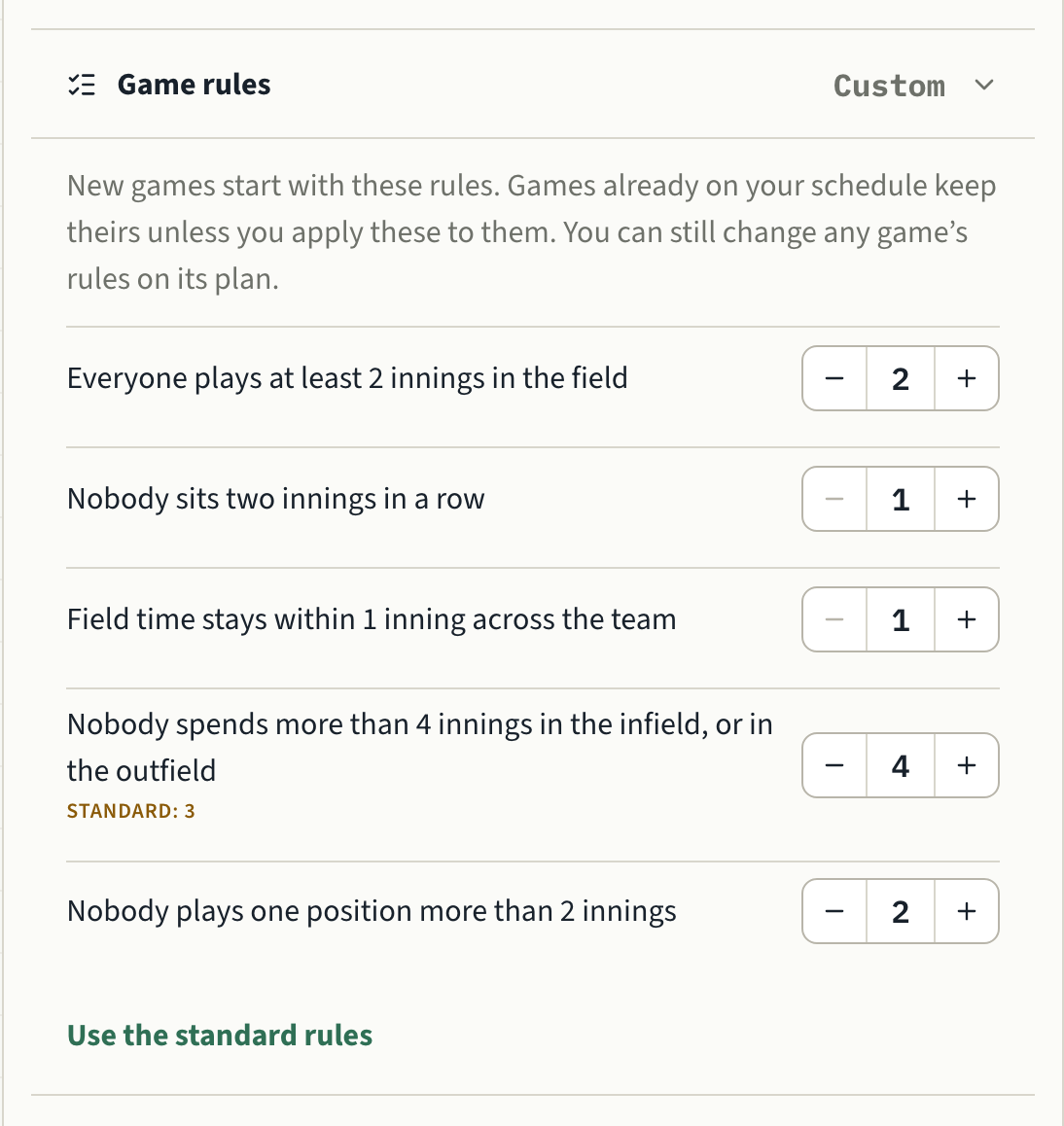
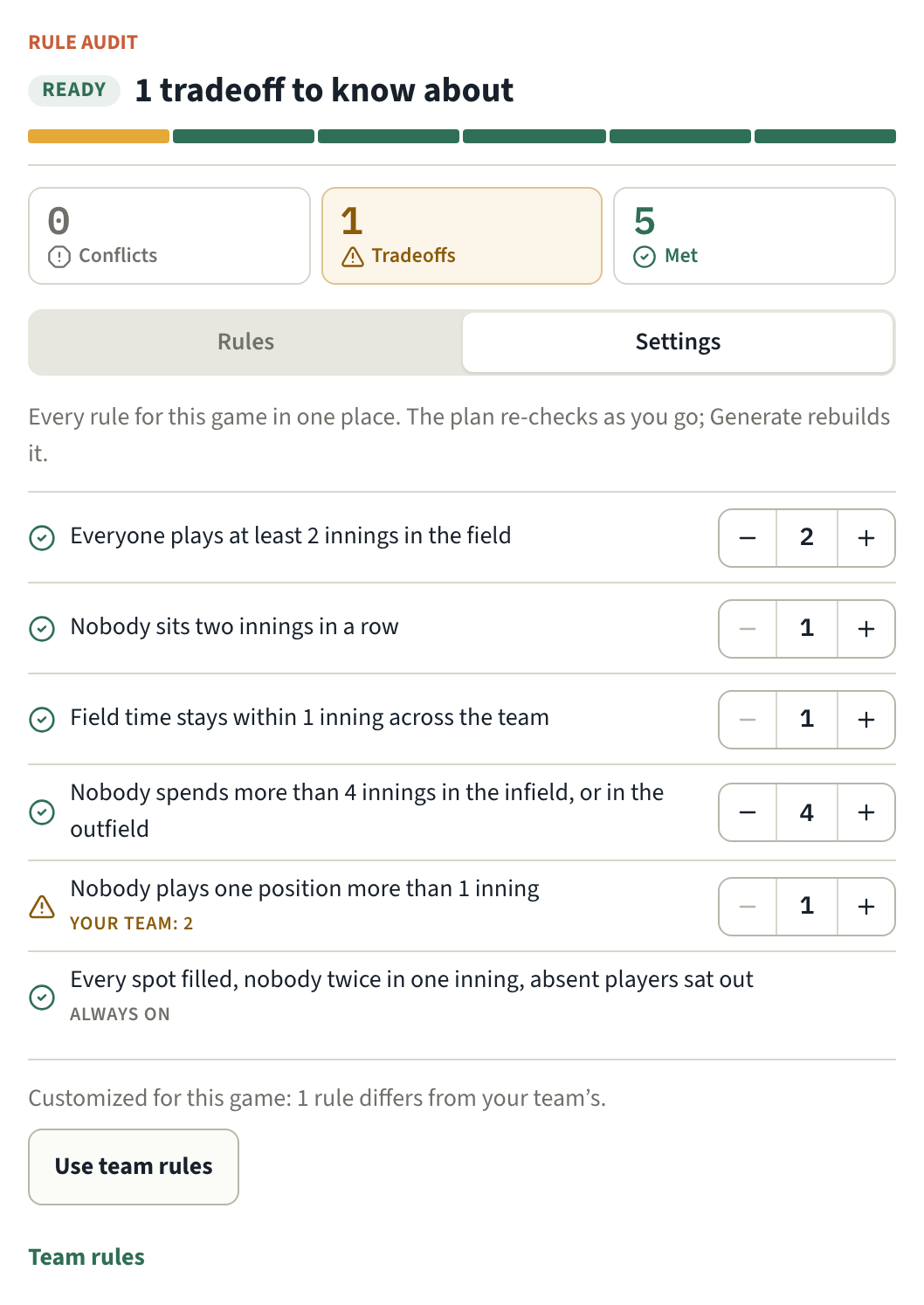
Enter your players once and mark where each kid can play. Then set your league's rules for the team, and every new game starts with them — so you're not re-entering the same limits every week.
Dial in the game
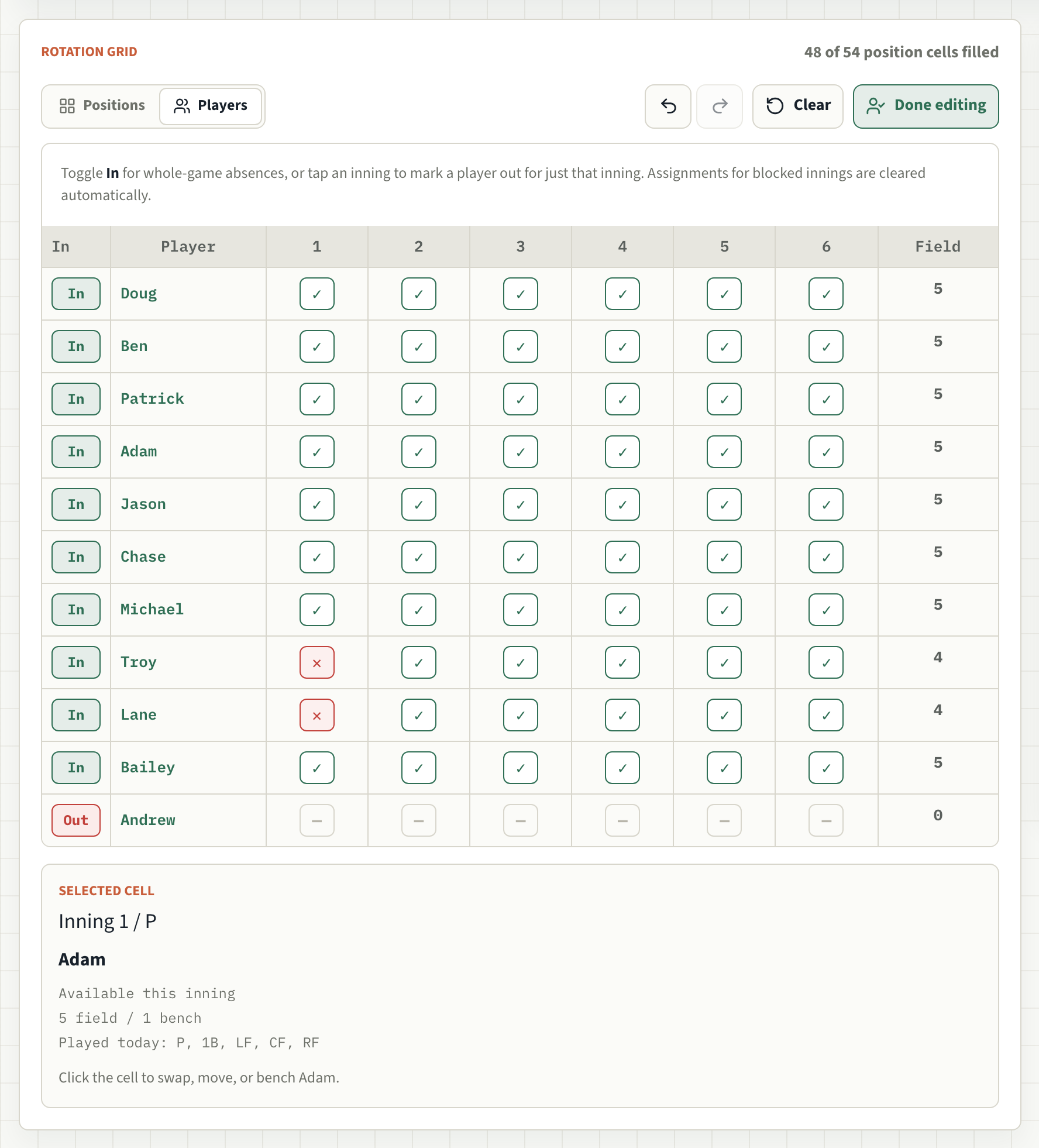
Mark who's in, who's out, and who's running late. A tournament or a short-handed Saturday can play by its own rules, and your team's rules are one tap away when you want them back.
Build the lineup
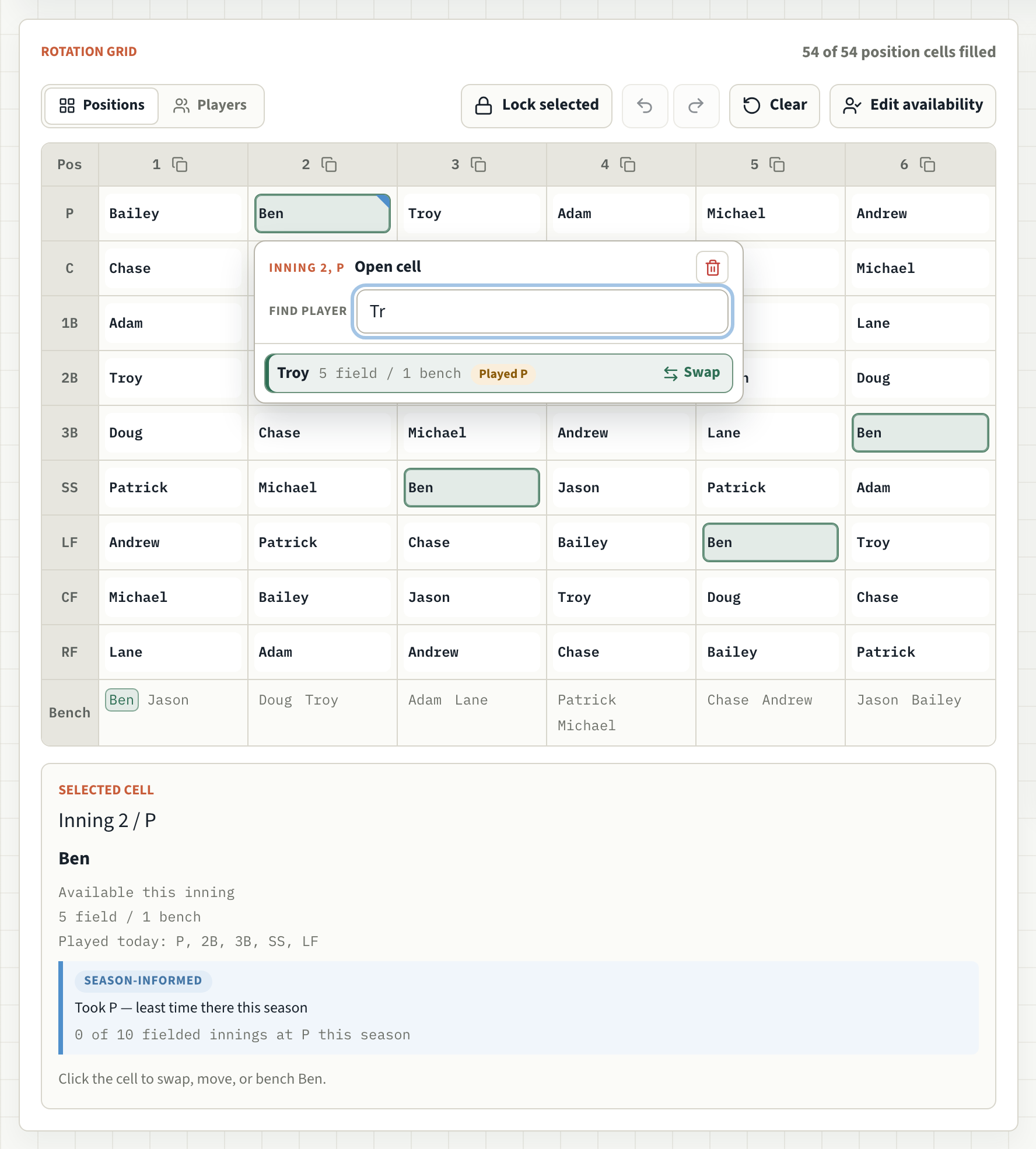
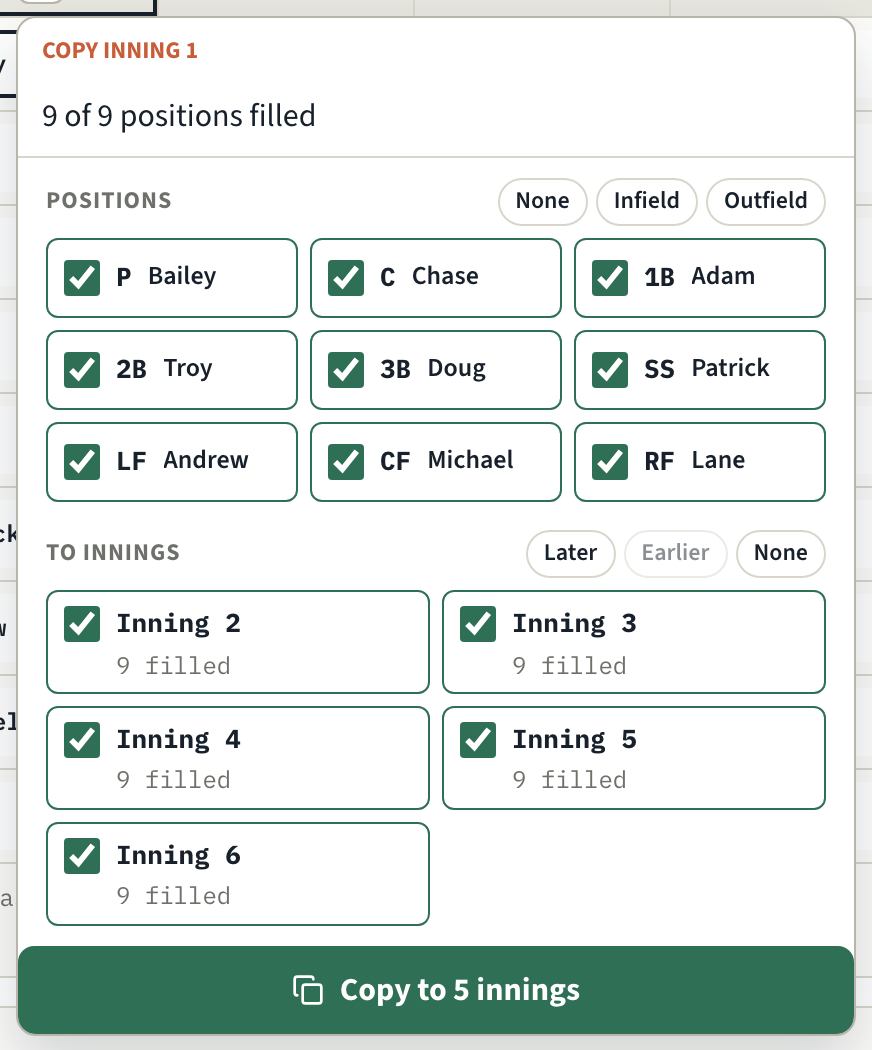
One button builds the whole game, or fill it in yourself — if you've ever kept a lineup in a spreadsheet, you'll feel right at home. Get one inning right and copy it to the rest. Either way it factors in the whole season, and you can open any assignment to see why it was made.
Every lineup shows its work.
Most coaches are guessing whether their plan is actually fair. Here, you don't have to: every decision is checked against your rules, so you know it holds up — and if it can't, you know exactly why, before the game, not after a parent asks.
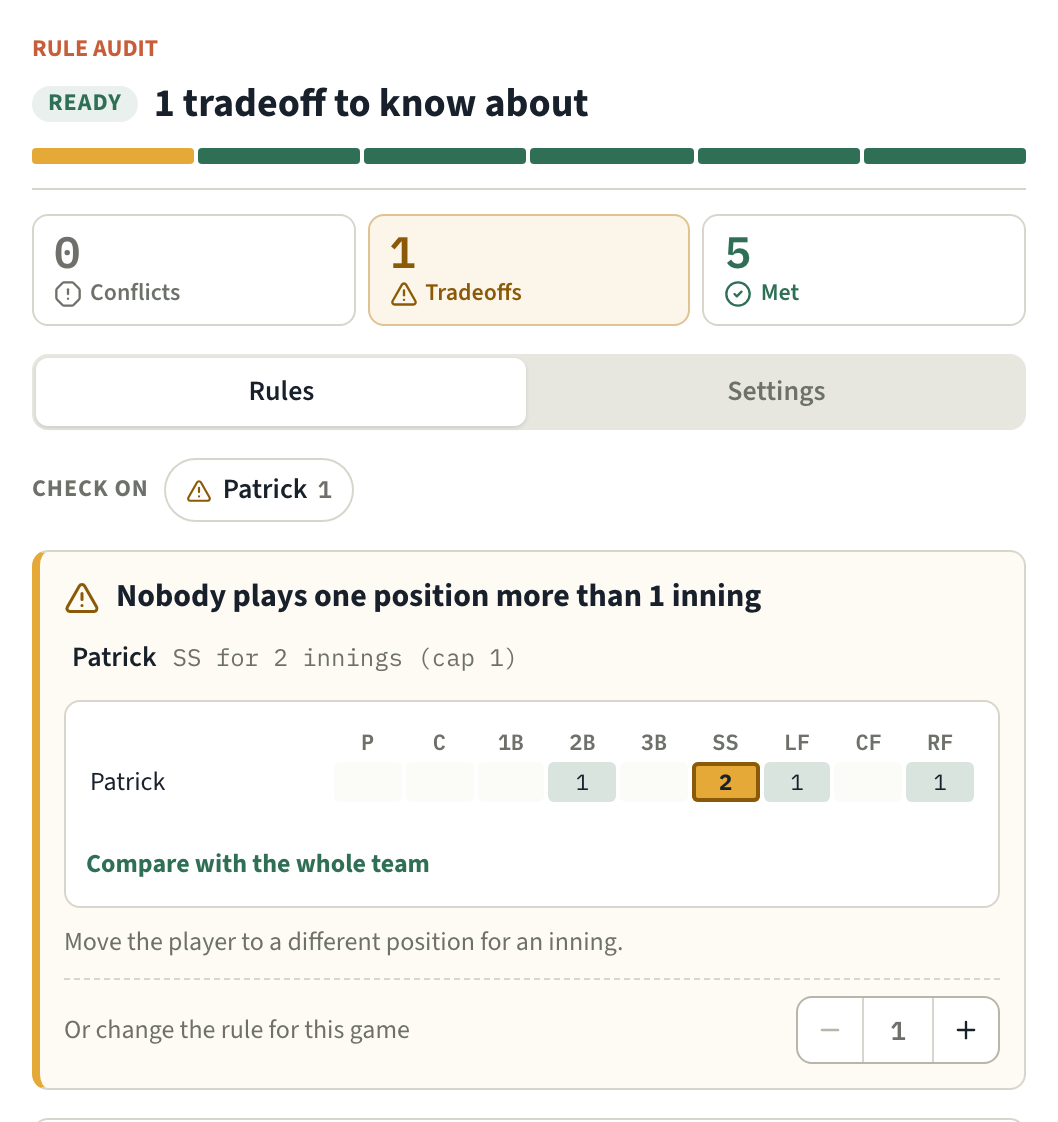
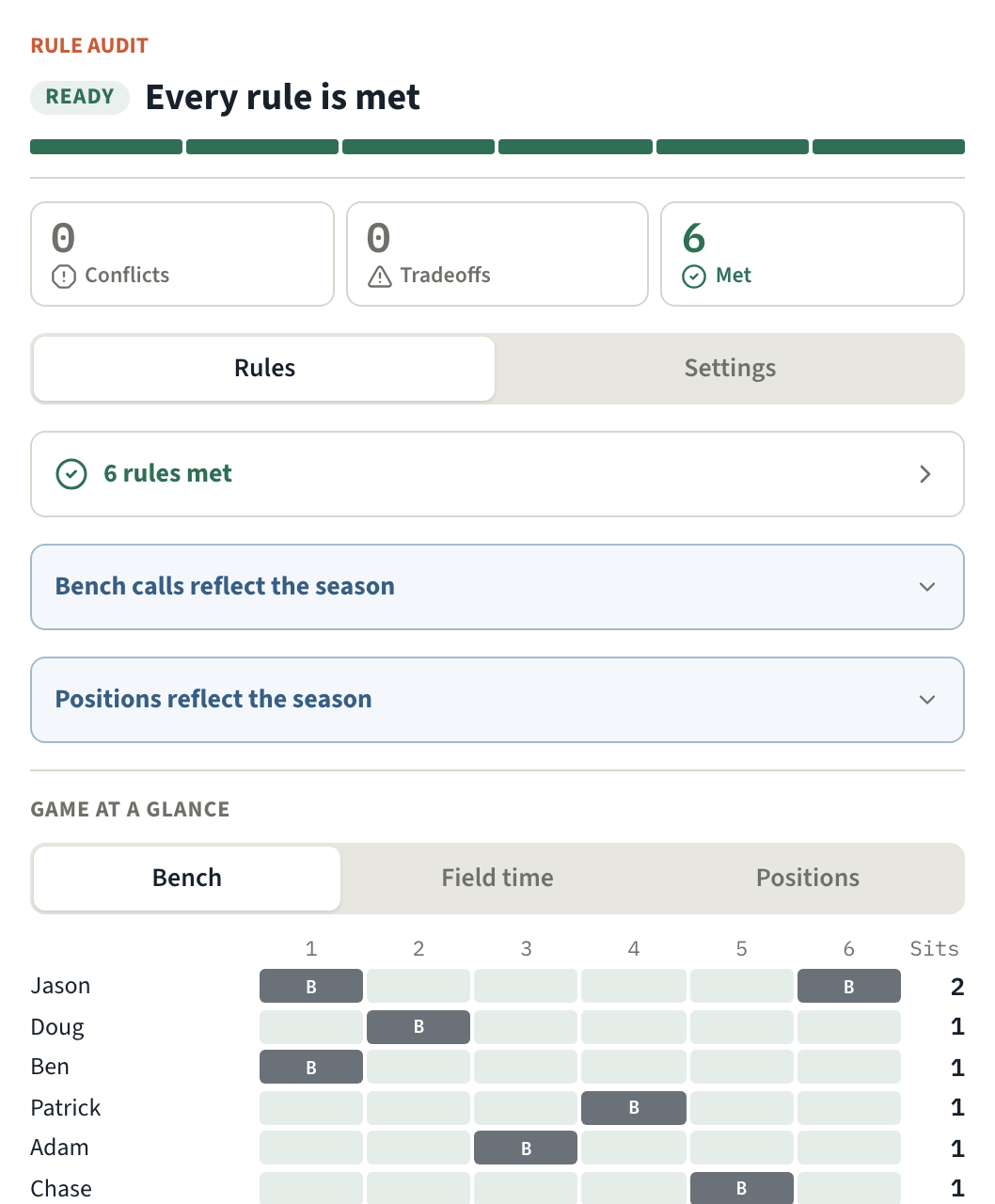
Conflicts, tradeoffs, met — counted for you.
The top of the audit tells you what needs attention first, and each rule reads as a plain sentence: "Nobody sits two innings in a row."
- Each unmet rule names the kids involved and charts just those kids: when they sat, how many innings they fielded, or where they played.
- The rule's own setting sits right under it, so you can fix the board or loosen the rule without hunting for it.
- The Check on section at the top names every player the audit flagged, so you know whose innings to look at first.
Game at a glance.
Under the rules, three charts show the whole game for the whole team: who sits which innings, how many innings each kid is in the field and on which side, and where everyone plays.
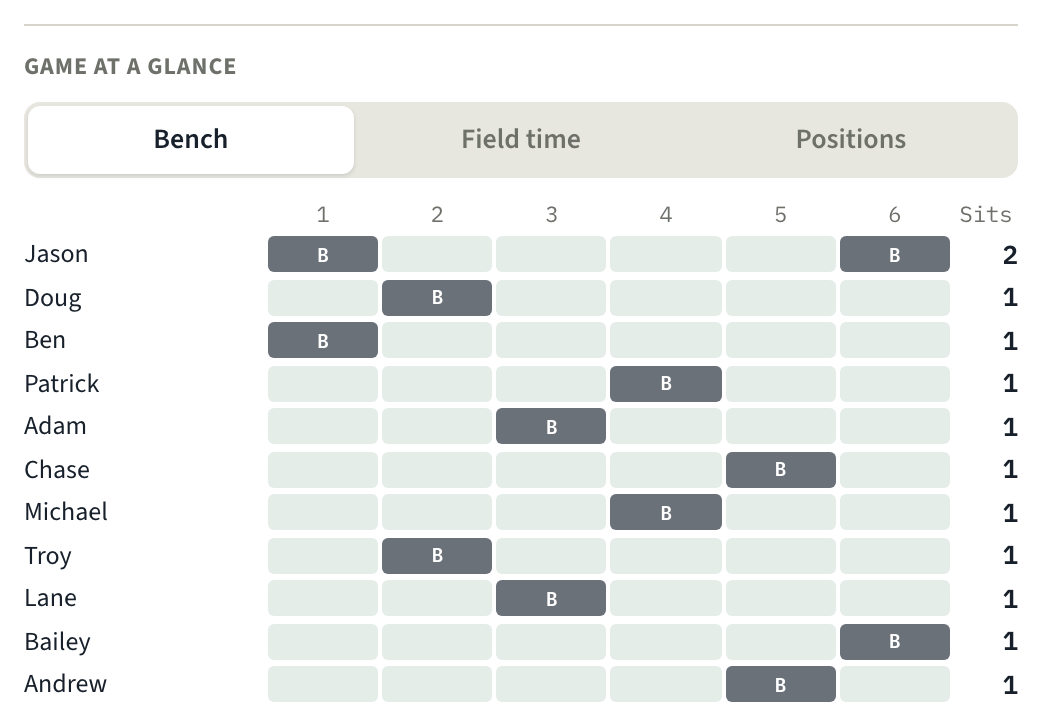
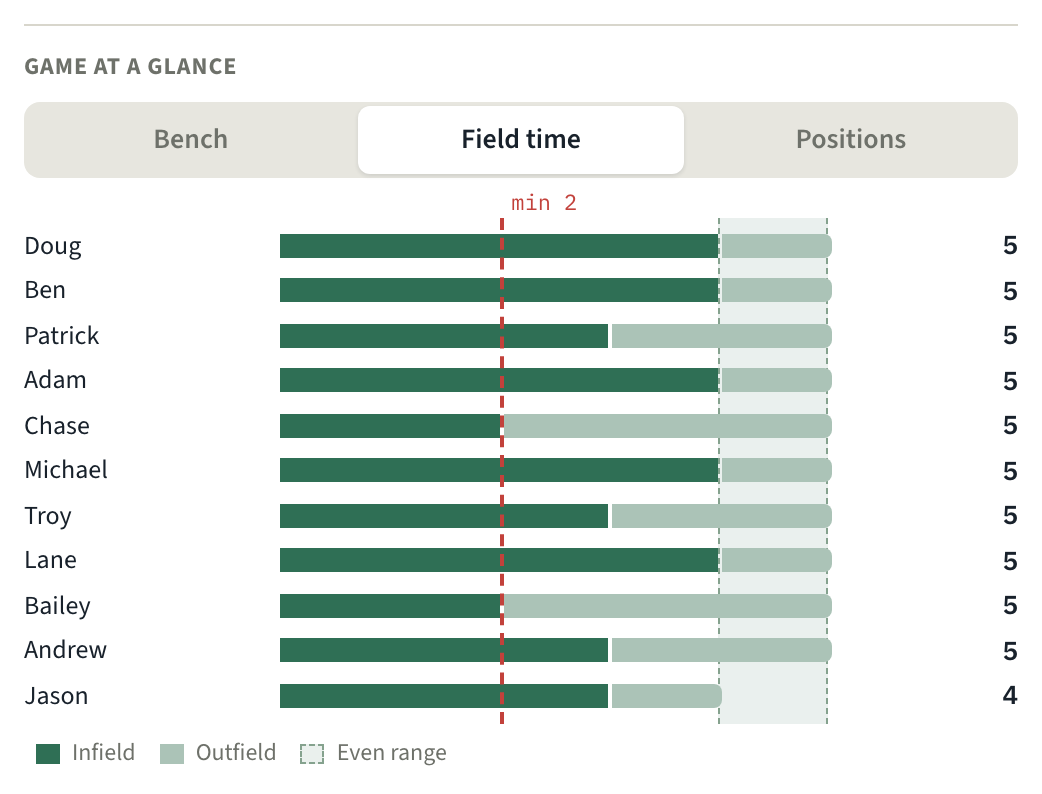
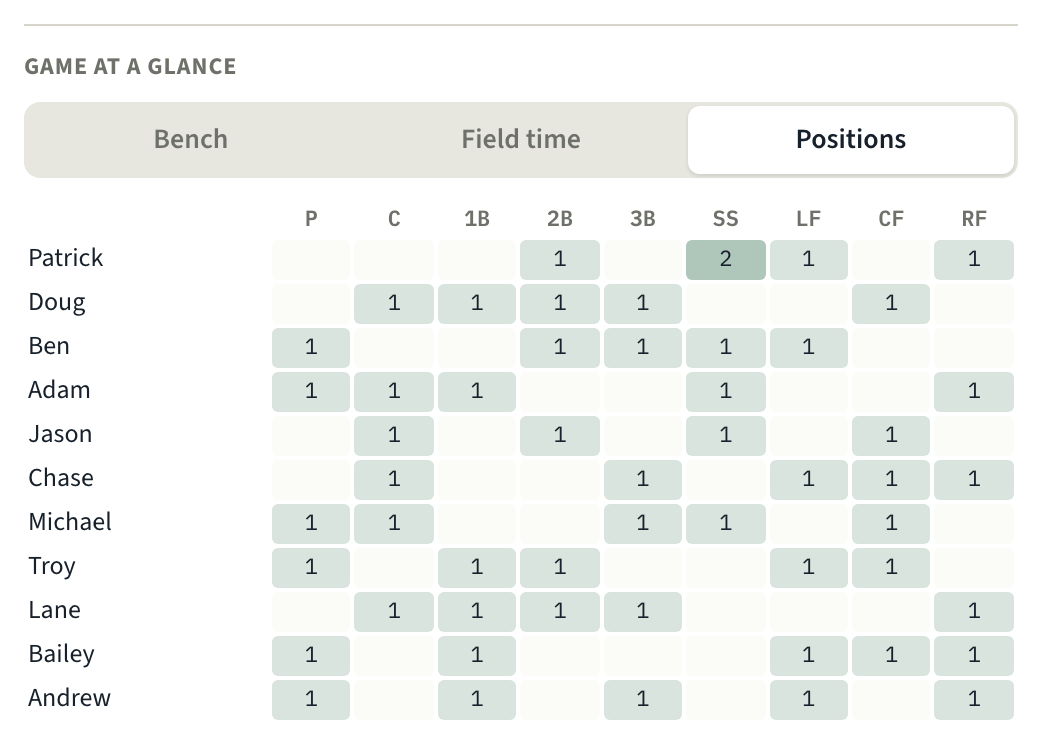
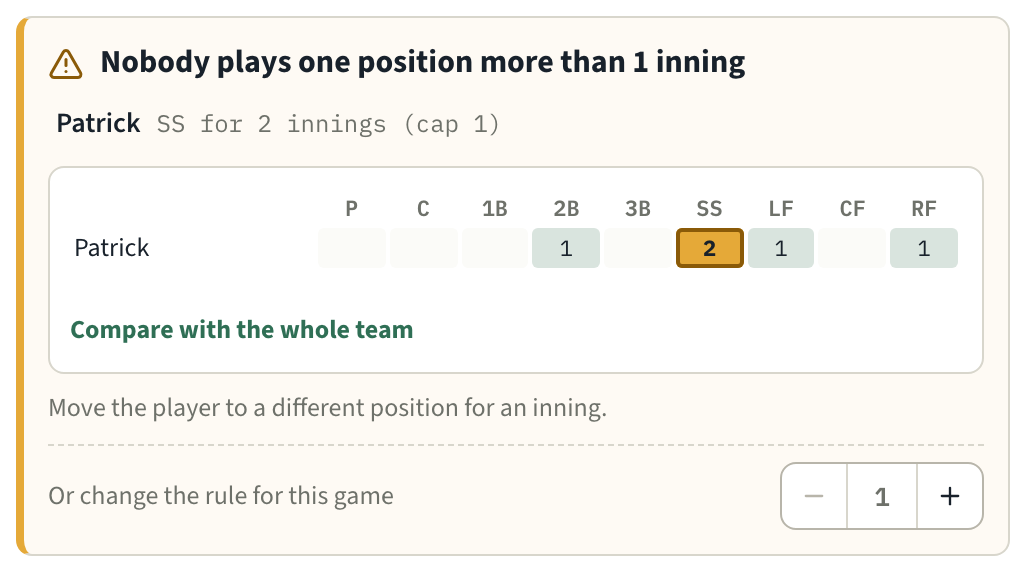
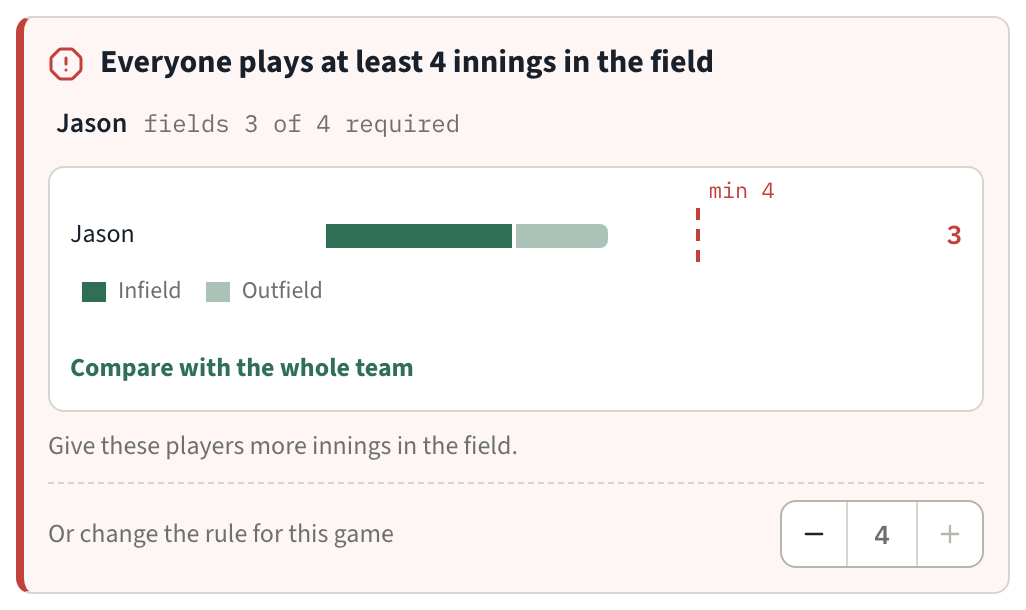
Most tools hand you a lineup. This one hands you the reasoning — including the times it has to be honest with you.
Your plan, in the dugout with you.
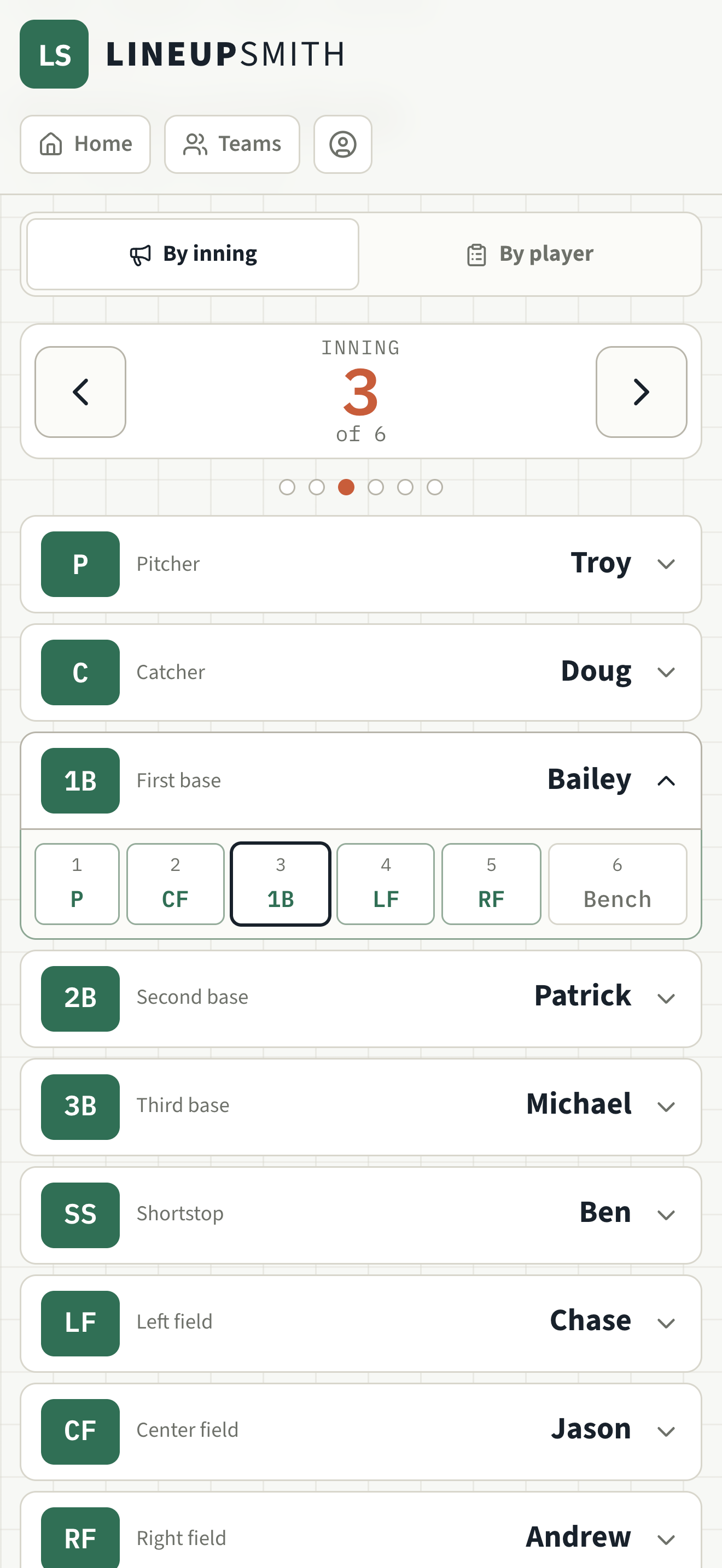
Print a lineup card, or share it with your assistant coaches. The Game Day view keeps the whole coaching staff up to date when last-minute changes happen: who's where, inning by inning, right on your phone. And there's a batting order for the fence.
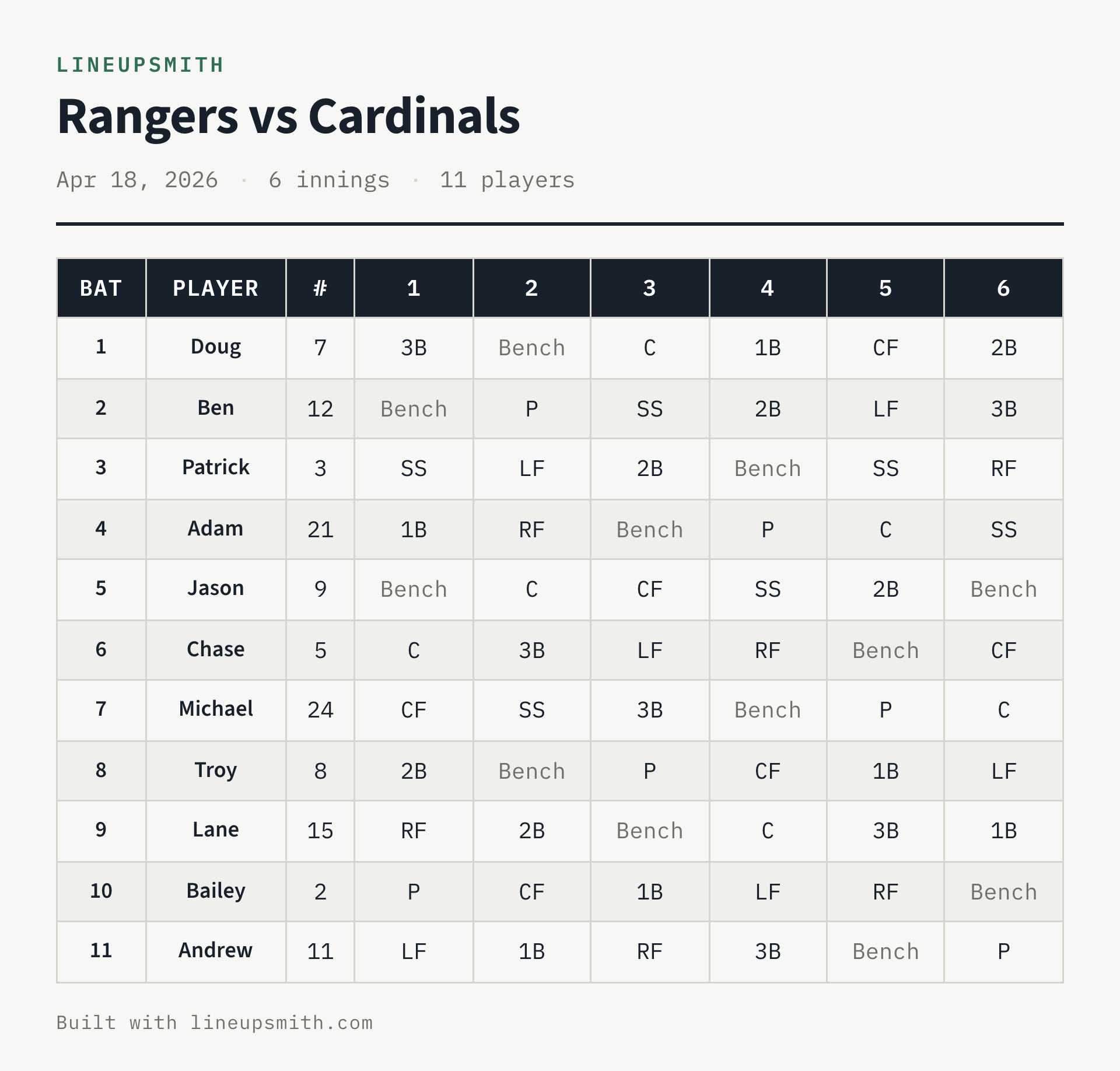
A batting order for the dugout fence.
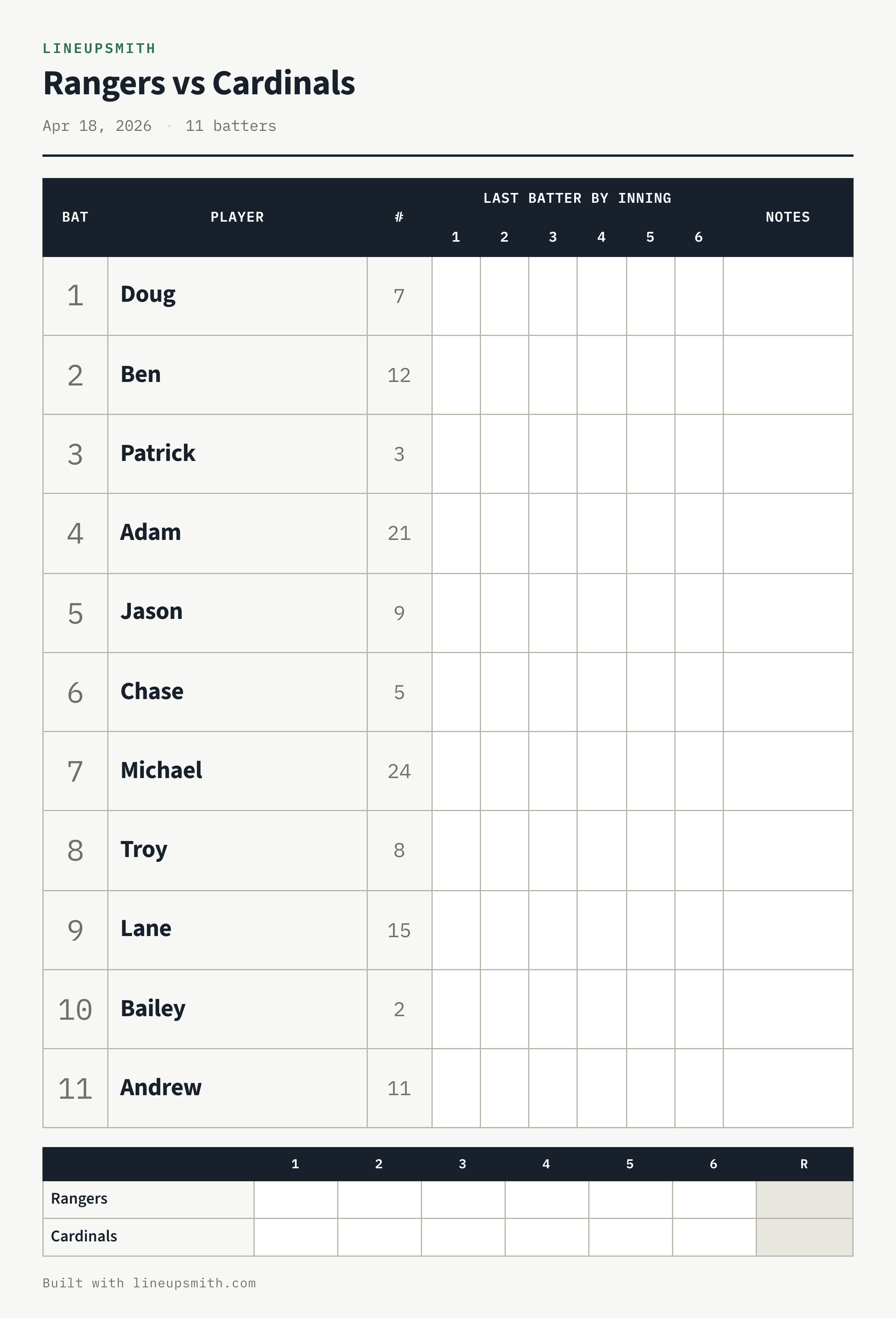
Big enough to read from the bench, and it leaves out who's sitting, so it can hang where the whole team sees it. Mark each inning's last batter so the next one knows who leads off, and keep the score right on the sheet.
Simple pricing. Start free and build your lineup in minutes.
Free
$0
- One Team
- Three active games at a time
- Generator, rule audit, and the Game Day view
- Season-informed generation across your active games (max 2 prior)
- Print, image, and CSV exports
Not a trial — it never expires.
Start freeSeason Ticket
$49/yr
- Unlimited Teams and games
- Duplicate a Team for next season instead of retyping the roster
- Invite an Assistant Coach — they never pay
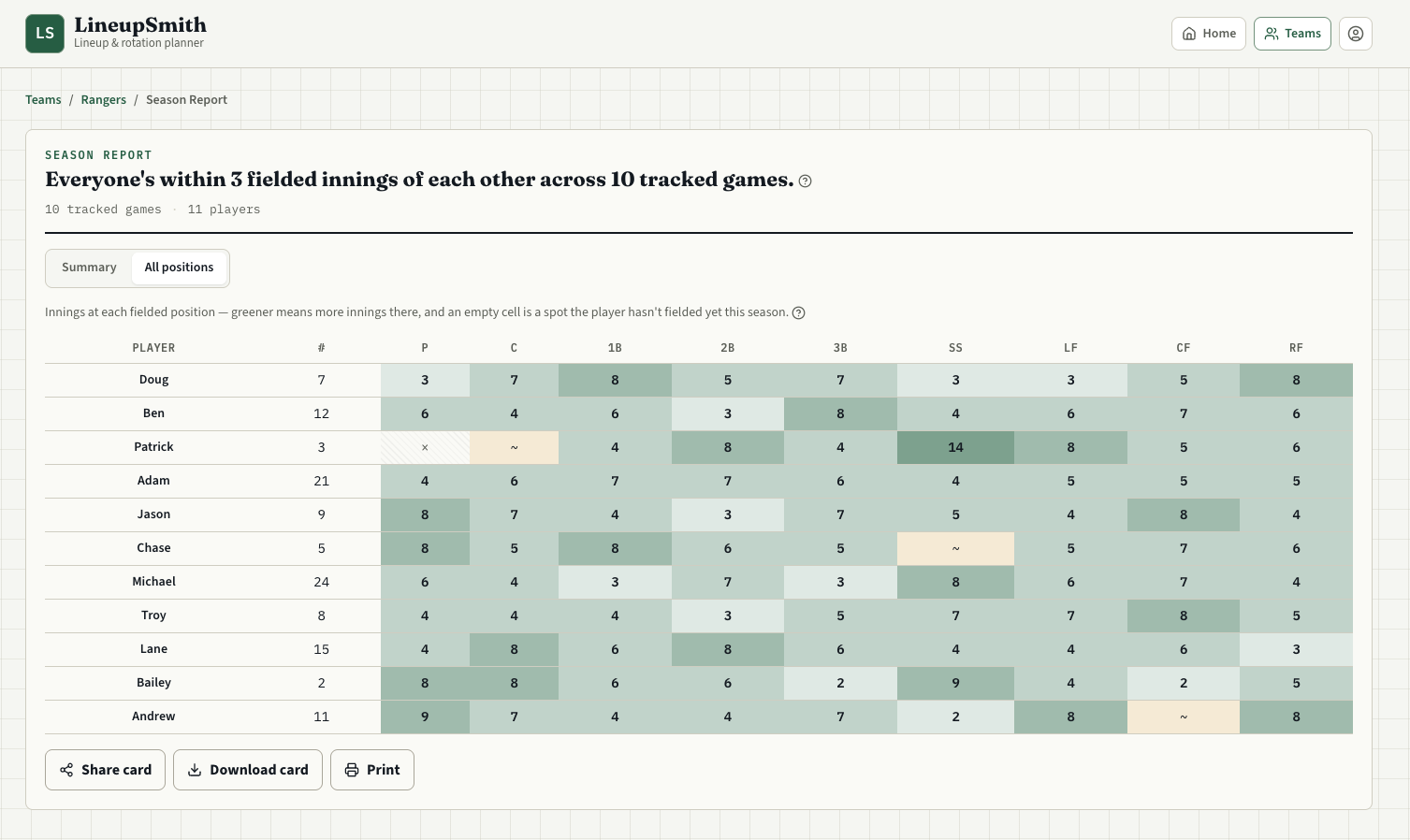
- Season Report — every player's season totals by position
- Season-informed generation across your whole season
- Print, image, and CSV exports
Starting Lineup
$29/yr — founder rate
- Everything in Season Ticket
- Your price never goes up, for as long as you keep it
Starting Lineup is founder pricing for the first 50 coaches, or through December 31, 2026 — whichever comes first: your rate stays where it is for as long as your subscription is active.
Fair questions.
Does it know my league's rules?
It enforces the rules you give it. Set your minimum fielding innings, position limits, and bench rules once for your team, and every new game starts with them — games you've already built keep theirs, and any single game can still change its own. There's no rulebook database guessing at what your league does — you tell it, and it holds the line.
How long does setup take?
Enter a name and a jersey number per player, optionally set position eligibility, open a game, press Generate — and you're done. Most coaches are through the roster in a few minutes, and after that it's per-game: who's out, and generate another plan. That first sitting is the longest you will ever spend in it.
I already have a spreadsheet that mostly works.
Then you already know the cost: the spreadsheet doesn't know your league's rules, won't tell you when a plan breaks one, and doesn't remember last week. Every absence means redoing the arithmetic by hand. Here you change who's available and press Generate.
What information do I have to enter about the kids?
Display name and jersey number. Nothing else is asked for and nothing else is stored.
What if a player shows up late or has to leave in the fourth?
Mark them absent or leaving early, regenerate, and you have a new plan in seconds. Absent players are never assigned; a player leaving early won't be scheduled for innings they won't be there for.
Can I overrule it?
Yes. Lock any cell you want kept, then regenerate — it works around your edits instead of throwing them out. You can also set just a few key positions by hand and let it fill in the rest, or set the whole game yourself. The batting order can be set by hand too. You can even place a player at a position you marked not eligible: Generate keeps your placement and solves the rest around it, and the cell gets a red corner and a line in the audit, so the override never goes unnoticed.
What happens when the rules can't all be met?
It tells you exactly which rule is the problem, instead of quietly ignoring it — so you can decide what to change.
What does the free plan actually include?
One Team and three active games at a time, with full access to the generator, rule audit, and Game Day view. It never expires.
How do I pay if I want the paid plan?
Start free first — everyone does. When you're ready, the upgrade is one click from inside the app. There's no card to enter before you've built a lineup and decided it's worth it.
If I sign up free, can I still get the Starting Lineup price?
Yes, as long as spots remain and it's before December 31, 2026. The first 50 coaches to upgrade get the founder rate, and it holds for as long as the subscription stays active. Signing up free doesn't hold a spot — upgrading claims it.
Can my assistant use it?
Yes, on a paid plan. Assistant Coaches get full day-to-day control of the team and never pay themselves — they're covered by the Head Coach's plan, invited with a link.
Does it work on my phone?
Yes. It's built phone-first and works the same on your desktop or phone — no separate app to download, just open it in your browser and add it to your home screen.
Is my roster reused next season?
On Season Ticket and Starting Lineup you can duplicate a Team, which carries the roster over so you're editing instead of retyping.
Why annual instead of monthly?
Because monthly pricing for a seasonal sport means subscribing in March and cancelling in May, and then the price has to be higher to make that work. Annual keeps the price lower and keeps it off your to-do list.
Your next lineup, in less time than it took to read this page.
No card, no commitment — just your roster and a few minutes.
Start free